From checkout to Active in Fortnite.
One download, one token, your Fortnite binds, and a Start button. Have your keybinds handy and you're most of the way there.
- Download v8.0.exe · no installer
- Activate tokenThis PC
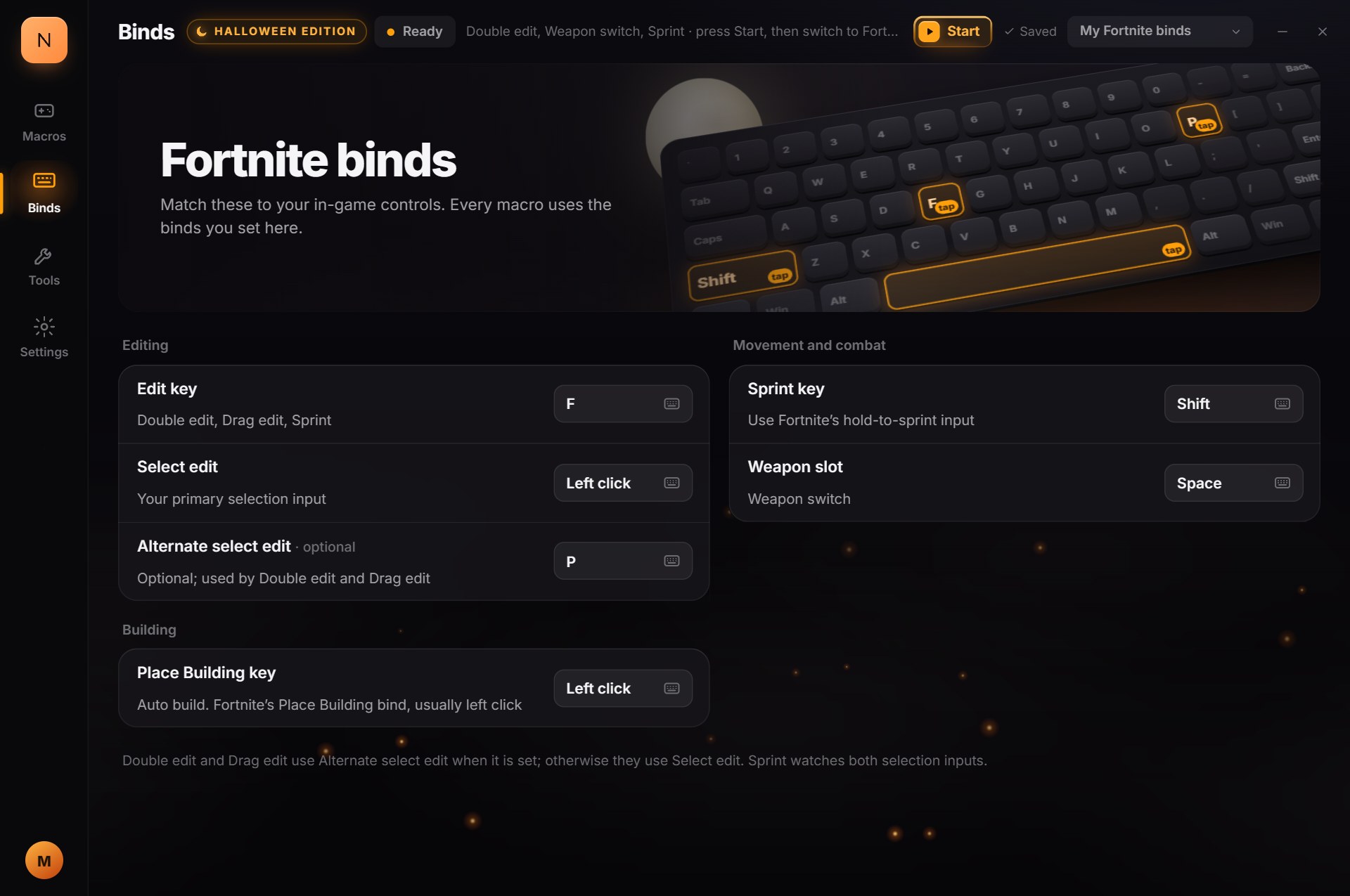
- Match bindsF · Left click · Space
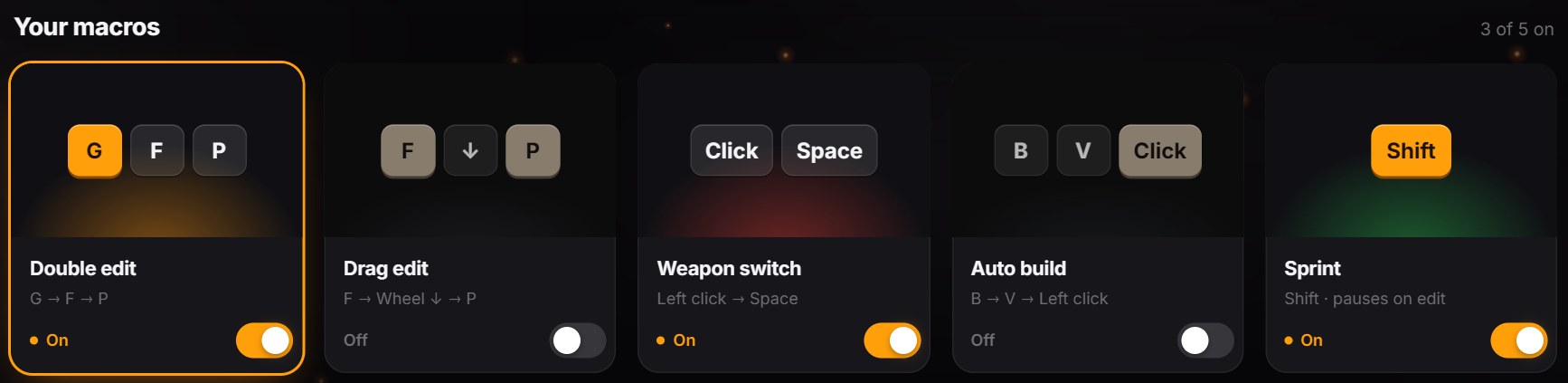
- Turn on & Start3 of 5 on
- System
- Windows 10 or 11 64-bit. A standalone .exe, nothing to install.
- Game
- Fortnite on PC Macros only run while Fortnite is focused.
- Input
- Keyboard and mouse Side buttons optional.
- Internet
- For activation At each launch and now and then while North is open.
- Not supported
- macOS, Linux, console Windows PC only.
Six steps.
Do them once.
After that, it's open North, press Start, play.
- 1
Buy and grab your token
Check out for $15. Your token and download appear right after checkout, and Payhip emails you a link to them. No email? Check spam, then open a ticket in the Discord.
- 2
Download and open it
Download Norths-Tweaked-Macro-v8.0.exe and open it. There's no installer; the app runs straight from the file.
Windows SmartScreen may warn you the first time, because the release isn't signed. Click More info, then Run anyway.
- 3
Paste your token
Paste your purchase token to activate this PC. North doesn't save it, so it asks each time it starts. North needs internet at each launch and checks in now and then while it's open.
One PC per token. Your token is linked to the first Windows device it activates. Reinstalling Windows? Ask in the Discord for a device reset.
- 4
Match your Fortnite binds
On the Binds page, set Edit, Select edit, Alternate select edit, Sprint, Weapon slot and Place Building to exactly what you use in Fortnite. Every macro uses these, so if they don't match, North presses keys the game isn't listening for.
- 5
Turn on the macros you want
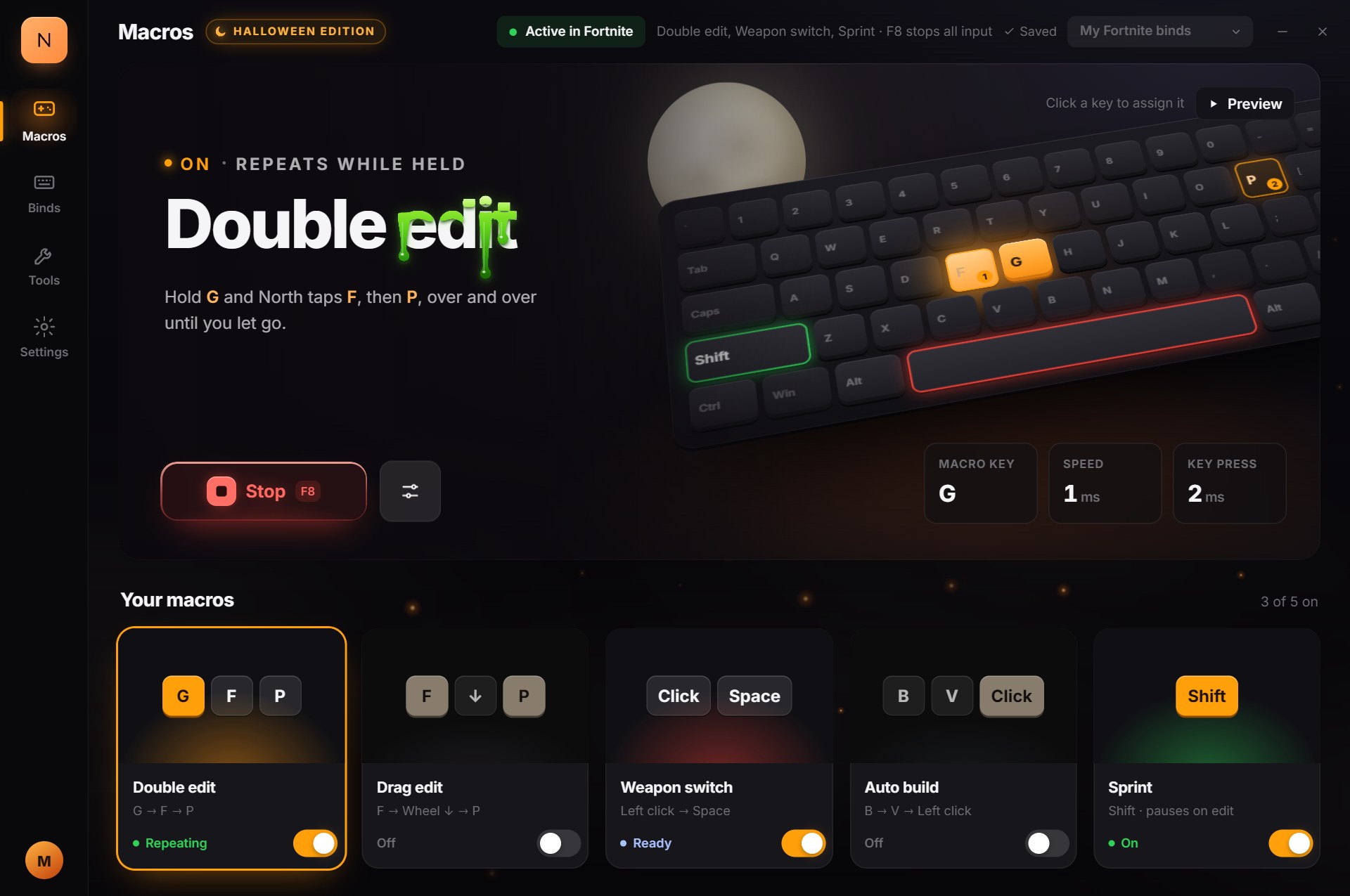
On the Macros page, flip the switch on each macro you want. Click a key on a tile to change it, and open the sliders button for timing presets.
 Using Auto build?
Turn on Turbo Building in Fortnite's settings.
Using Sprint?Use hold to sprint and set Auto Confirm Edits to Edit.
- 6
Press Start, then play
Press Start and switch to Fortnite. The status chip turns green and reads Active in Fortnite. You can turn macros on or off without stopping, and F8 stops everything at any time.
Then it just works.
Free, for life
New versions are included with your one-time purchase. Grab them from the Discord when they drop.
Stuck? Open a ticket
Open a ticket in the Discord and someone will walk you through it. Device resets after a Windows reinstall go through there too.
Use at your own risk
Epic's rules don't allow macros, and nobody can promise you won't be banned. Keep it out of tournaments.
Ready when you are.
$15 once. Lifetime updates. Setup help in the Discord.
Buy North's Tweaked Macro